The Important Things to Take Pictures of While Moving (and Why)

a woman takes a photo of her living room

Snapping photos when you're in the middle of a move might be the last thing on your mind when you're waist-deep in boxes. However, they can make a big difference later on. Documenting your move is a simple step that saves you time, reduces stress, and preserves precious memories. They can also help you keep track of your prized belongings throughout the process.

Damage to belongings and dings on floors and walls are more common than many homeowners realize. Taking pictures helps document their condition before, during, and after transport. They also protect you in case of disputes or insurance claims.

Additionally, photos could help you plan the design of your new space ahead of time, giving you a head start in your new home, in addition to showing how things like entertainment centers are set up. They definitely make unpacking and arranging your home faster and less overwhelming.

Don't worry if you're unsure of where to begin. We have you covered! Our tips and tricks on what to photograph and video can help you from start to finish, so you don't miss a single shot.


Last updated: Jul 16, 2025 6 min read
Kevin The Mover
Written byKevin The Mover

Key Takeaways

  • Photograph your old home thoroughly — clean walls, floors, fixtures, and any pre-existing damage protect your security deposit if a landlord disputes it
  • Photograph your new home before unloading — documenting its starting condition prevents the movers from being blamed for prior dings and floor scratches
  • Snap electronics setups before disconnecting — wiring diagrams in your phone save hours of guessing when reconnecting TVs, sound systems, and computers
  • Photograph utility meters on the way out — water, electricity, and gas readings let you challenge any incorrect final bills from your old providers
  • Always confirm date and time stamps — check that your phone's clock is accurate so photos serve as solid evidence in any small-claims or insurance dispute
Kevin The Mover
Author

Kevin The Mover

Kevin Kato is a travel and home services writer with over 20 years of experience as a professional mover.

Having been both a professional mover and a crew leader, Kevin has seen it all in the world of moving: hectic moves, unique packing, bizarre accident claims, truck mishaps, or just run-of-the-mill moves as advertised; there is virtually no situation Kevin hasn't managed. Today, Kevin provides his insights as Kevin The Mover for professional movers and "movees" everywhere.

Take Pictures of Your Old Home

Unfortunately, many landlords are literally and figuratively banking on their tenants not doing their due diligence. Make sure you're not one of them!

When a tenant moves out, their landlord can legally keep part or all of their security deposit. However, it's meant to cover things like damage beyond normal wear and tear, not greed. They usually have to provide a breakdown of charges, and if they refuse or can't justify the deductions, tenants may be able to get their money back.

"Your phone's date and time settings have to be accurate before you start taking photos...if your phone's date and time are incorrect, the info attached to the images will be, too. This won't help your case if you need to use the evidence in the future."

So it’s a good idea to prepare just in case. Taking clear photos and videos of the property while moving out can be a game-changer if your landlord withholds your deposit. For example, you can use the images as evidence if you take them to small claims court.

But renters shouldn't be the only ones taking pictures. Home sellers should do the same. The pictures can protect you if the buyer later tries to claim you caused damage during the move. Having photo evidence of the property's state when you took your final steps out the door can prove you weren't in the wrong.

The images can also be sweet mementos. Put pictures of special areas in your home or its exterior into a photo album or frame. They'll be great for reminiscing in the future.

Take Pictures of Your New Home

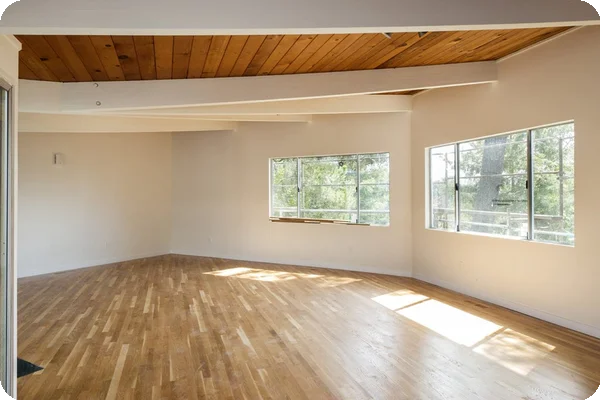
An image of an empty living room in a home

Photographing everything in your new home before you start bringing in your belongings is also an important step. These photos show the house's current state and allow you to document whether items that were supposed to stay as part of the sale are gone. So if a seller snatched up the vintage light fixtures you fell in love with and paid for, the photos will show proof they're missing if there's a dispute.

Post-move-out and pre-move-in pictures also show the home's condition at crucial points. If you notice damage later, you can compare the two sets of images. They help you determine if the movers accidentally damaged the flooring or other components at some point during the process.

Another perk? The photos give you a head start in deciding where all your items will go in your new home, and it's much easier than making split-second choices during the fast-paced move-in.

Take Pictures of Your Electronics Setups
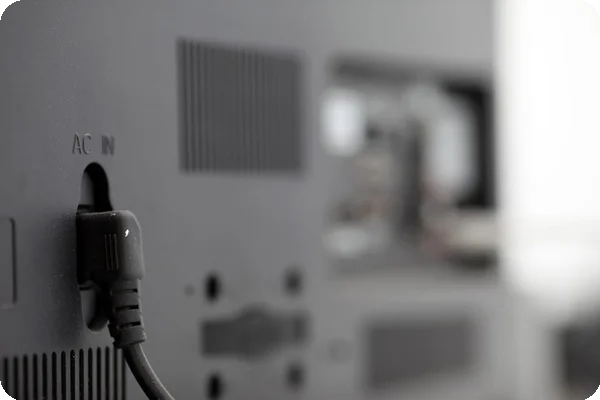
An image of a back of a tv

Have you ever temporarily disconnected an elaborate electronics setup only to realize you can't remember where the wires need to go? If you take pictures before disconnecting them, you don’t have to worry about this happening to you. These photos provide easy references for computers, gaming systems, and other electronic setups, and will save you frustration, time, and probably tears when you set everything back up in your new home.

It also helps to pack all electronics with their matching wires; for example, put the gaming system and its wires in the same box. Attach a tag to each wire indicating what it belongs to so they're not in a tangled, confusing ball. This saves you headaches later on if you have several of the same cables.

Take a photo of the interior contents of the box, including the items' serial numbers and the exterior box labeling, so they're easy to find later. Additionally, if you have multiple boxes of electronics, don't label them all the same. Write "Electronics 1–Computer Parts," "Electronics 2–Entertainment Center," etc. You'll be happy you did this later if a box accidentally gets misplaced during transit. And, you can show the moving company a photo of exactly what valuables were in each one if a box does end up missing.

Take Pictures of Your Valuable Items

Taking photos of valuable items like antique furniture and electronics is especially important. If they get damaged in transit, the images show their condition before the moving process began. Additionally, if the items get misplaced, it's much easier to show the moving company which ones are MIA rather than describing them.

"Post-move-out and pre-move-in pictures also show the home's condition at crucial points. If you notice damage later, you can compare the two sets of images. They help you determine if the movers accidentally damaged the flooring or other components..."

Your pictures provide extra protection when combined with the inventory sheet and bill of lading. These list all your items being transported during the move, so having both strengthens your case if you need to file a claim with the moving company or your insurance.

Take Pictures of Your Water, Electricity, and Gas Meters

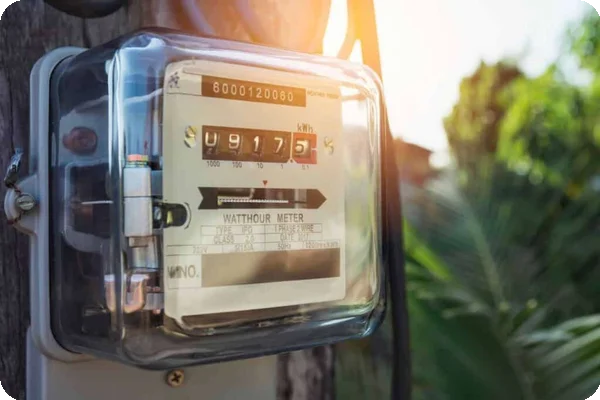
an image of a utility meter on a pole

Homeowners typically remember to hook up the utilities at their new place. Unfortunately, many forget to photograph their water, electricity, and gas meters on the way out of their old one. Taking the pictures gives you a good defense if one or more utility companies send you bills stating you owe more than you actually do.

Utility companies usually estimate usage, or can have a delay in updating their records. This could lead to incorrect charges for usage after you moved out, meaning you might get stuck paying for the new tenant's utilities. Your photos provide clear, time-stamped proof of your final meter readings on the day you left, and they can back up your word if you need to dispute inaccurate costs.

It's also a good idea to take photos of the meters at your new property as soon as you arrive. They document your starting usage. The time-stamped images provide proof of the initial readings, so you won't have to pay for usage from the previous occupants.

Take Videos of Your Functional Electronics and Equipment

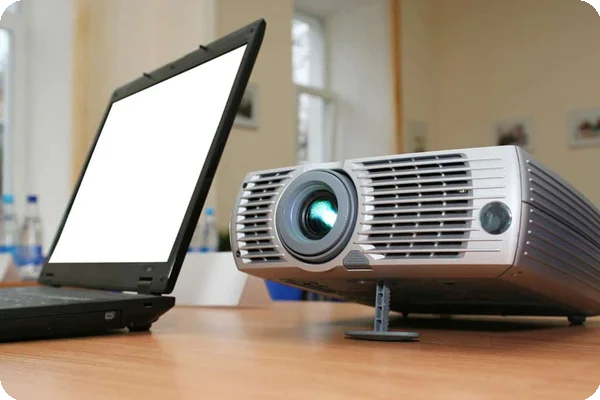
a laptop and a projector sit on a table

It's smart to take photos of your belongings to document their condition. However, taking videos is also beneficial for anything motorized or that you turn on and off. They show the objects in their operational state, and that they worked before the move. You'll need proof if items like your stereo system stop working because the movers accidentally dropped them or knocked them in the wrong way.

Taking videos adds extra time to the packing and moving processes, but it's worth it. They increase your chances of getting reimbursed for nonworking items later on. You should also take videos of working items remaining at the home. For example, record the garage door doing a full cycle and appliances in use. Much like photos of the home condition do, the videos protect you against false claims from new homeowners saying that certain home components aren't working.


Bonus Tip: Always Time Stamp Your Photos

It's not enough to take the photos; they should also be time-stamped. This data is important when documenting things like utility meter readings and the home's condition while moving out. It's clear-as-day evidence of when the photos were taken. Time-stamping is especially crucial for billing disputes and insurance claims.

Your phone's date and time settings have to be accurate before you start taking photos, and the time stamp on the pictures coincides with your phone's internal clock. If your phone's date and time are incorrect, the info attached to the images will be, too. This won't help your case if you need to use the evidence in the future. Set your phone to update the date and time automatically so you won't have to do it manually.

Smartphones automatically time-stamp photos and videos. Take a test image to make sure it's accurate before you begin. After taking the picture, find it in your photos app — the day and time should be at the top. Verify that it matches the current date and time, and if it does, you're all set to document the journey.

Don't forget to send all the photos and videos to your email or other storage device throughout the day. You'll have the evidence you need if your phone breaks or gets lost and the videos and images aren't backed up to an online storage space.

Recent Articles

A person frantically packing boxes during a last-minute move with a calendar showing the urgent move date

Last Minute Moving: Our Checklist for Getting Out in a Hurry

Packing

Planning to move soon? Like, really soon? Last-minute moving can cause panic, no matter the reason. Maybe an emergency happened, and you have to relocate quickly, or you're offered an exciting job opportunity that... Read More

Kitchen drawer organizer filled with utensils being prepared for packing into a moving box

How Do I Pack Kitchen Utensils?

Packing

Unlike your couch or dresser with four tiers of drawers, kitchen utensils and silverware are small might seem like they're easy things to move to your new home. They're small, light, and typically not very... Read More

an image of a queen mattress on a wooden floor

Packing a Queen Mattress: The Plan vs. Reality

Packing

Every day, people search for advice on moving a mattress because they are bulky, awkward, and easy to damage. So if you’re searching for answers on how to get yours out the door, you’re not alone.

Knowing how to... Read More

A woman sets down an item into a box. The angle of the shot is from the bottom of the box pointing upwards, so it looks as through the woman is reaching towards the camera

What Should You Pack First When Moving?

Packing

The short answer to what you should start packing first is to pack things you don’t use daily. If it can sit in a box for a few weeks without disrupting your routine, it can be packed early. Items in garage... Read More

College student moving into a dorm

How to Pack for College: Complete Dorm Packing Guide

Packing

Getting ready for your first year is thrilling, but it is so easy to bring way too much stuff. To pack for college efficiently, double-check your dorm’s rules, coordinate with your roommate, and follow a... Read More

A woman holding multiple rolls of clear packing tape and a tape dispenser

The Best Type of Packing Tape to Use When Moving

Packing

If you browse office and craft store aisles, you'll find dozens and dozens of tape options. While they all serve a purpose, most aren't ideal for packing. The best packing tape to use when you move is a product... Read More